Picture this: you're at a coffee shop, phone in hand, and you've just realized you have absolutely no idea what your Netflix password is. Again. You've reset it four times this year. You know it's something with your dog's name and maybe a number, but which number? Was it the year you got the dog or the year you graduated?
Here's the wild part — according to the FIDO Alliance, over 80% of data breaches involve weak or stolen passwords. We've been faithfully punching in these little strings of characters for decades, treating them like sacred keys, even though they're basically the digital equivalent of leaving your house key under the doormat with a sticky note attached.
But something's finally shifting. And honestly? It's about time.
The Password Problem Nobody Wanted to Talk About
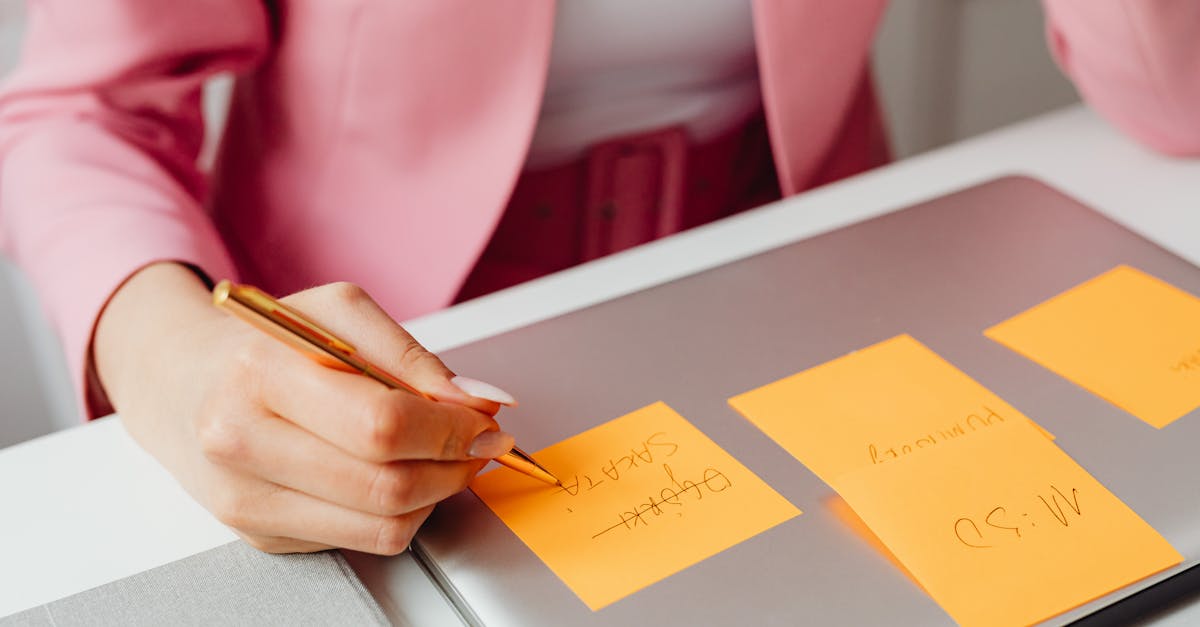
I've been covering tech for years, and I've watched us collectively pretend passwords were fine. We added uppercase letters. We added symbols. We made them longer. And what happened? People started writing them on sticky notes plastered to their monitors like some kind of cybersecurity confession.
Let's be honest — the password has been broken for a long time. The average person manages somewhere between 70 and 100 passwords. You genuinely expect me to remember 100 unique, complex strings? That's not a security system, that's a memory test designed by someone who hates humanity.
The real kicker? Hackers don't even need to guess anymore. Phishing attacks trick you into handing over your credentials. Credential stuffing reuses breached passwords across sites. And deepfake voice scams are now convincing people to reset passwords over the phone. It's a mess.
Passkeys Explained: The Tech That Actually Makes Sense
So what's a passkey? I'm glad you asked, because the concept is beautifully simple once it clicks.
A passkey is a cryptographic key pair stored on your device — tied to your fingerprint, face, or a PIN. The private key never leaves your device. The public key sits on the server. When you log in, your device proves it has the private key without ever transmitting it anywhere.
Think of it like this: instead of shouting a secret password across a crowded room (which is basically what passwords do), you're showing an ID that only you can produce. Nobody can copy it. Nobody can phish it. Nobody can guess it, because there's nothing to guess.
Here's what most people miss — passkeys aren't just "passwords with extra steps." They're a fundamentally different architecture. There's no secret to steal, no hash to crack, no database of credentials waiting to be harvested. When LastPass got breached in 2022, attackers walked away with vaults of user passwords. If those users had been on passkeys, there'd be nothing to take.
The FIDO2 standard behind passkeys has been in development for years, but 2023 was the turning point. Apple, Google, and Microsoft all rolled out passkey support across their ecosystems. Suddenly, the big three were actually agreeing on something, which is rarer than a quiet day on Twitter.

The Numbers Behind the Passwordless Shift
Let me throw some stats at you that made me sit up straight:
- Google reported that passkeys are used on over 400 million accounts — and that was before the feature was even two years old.
- Amazon added passkey support in 2024, and early data showed sign-in success rates jumping while login times dropped.
- PayPal, eBay, Shopify, and TikTok have all jumped on board.
- The FIDO Alliance says passkey adoption grew over 250% year-over-year across major platforms in 2024.
I've found that the most telling signal isn't the big tech announcements — it's the enterprise world. Banks, healthcare providers, and government portals are quietly rolling out passkeys because they've done the math. Every password reset call costs money. Every account takeover costs reputation. Passkeys eliminate both.
Why Your Password Isn't Dead Yet (But It's On Life Support)
Now, I'm not going to pretend everything is sunshine and rainbows. Passwordless authentication still has friction. Cross-platform syncing works great if you stay inside one ecosystem — Apple's passkeys sync beautifully across Apple devices, Google's across Android and Chrome. But what happens when you're a Windows user with an iPhone and a Linux work laptop? It's getting better, but the experience isn't seamless yet.
There's also the recovery problem. Lose your phone, and you're suddenly navigating account recovery flows that feel like defusing a bomb. Apple and Google have improved this with cloud backup and device-to-device transfer, but it's still the part I'd love to see polished.
And let's not forget the skeptics. I've had friends tell me, "I don't trust my phone to be my identity." Fair enough. But here's the thing — your phone already is your identity. It's where your two-factor codes go, where your email lives, where your banking app sits. Passkeys just make that reality more secure instead of papering over it with a password.
The transition will take years. Legacy systems, old corporate software, that one government portal that looks like it was designed in 2004 — they'll lag behind. But the direction is clear. The password is dying, and nobody's organizing a funeral.
What This Means For You Right Now
You don't have to wait for the world to catch up. Here's what I'd do (and what I actually did):
- Check your key accounts first. Go to your Google, Apple, or Microsoft account settings and look for "passkeys" or "sign-in options." Add one today.
- Start with email. Your email is the master key to everything else. If an attacker gets it, they can reset everything. Secure it with a passkey first.
- Keep a backup method. Don't delete your password until you've confirmed your recovery options. Trust me on this one.
- Enable it on new accounts as you create them. Make passkeys your default choice, not an afterthought.
The password had a good run. It carried us from the dial-up era to the cloud. But asking humans to remember 100 unique secrets was always a flawed premise, and the bad guys figured that out long before the rest of us did.
Passkeys aren't just a tech upgrade — they're a correction of a decades-old design flaw. And the sooner you adopt them, the sooner you can stop resetting that Netflix password for the fifth time this year.
So here's my challenge: go add a passkey to one account today. Just one. Then tell me it doesn't feel like finally locking your front door after years of leaving it wide open.
